Type: Private prototype · Concept exploration (non‑commercial)
My role: Product designer & prompt engineer – problem definition, workflows,
and AI‑assisted implementation
AppPulse started as a way to solve my own problem while building HiLi Notes: I was collecting feedback in spreadsheets and it took weeks to turn that into clear product decisions. I used this project to explore how far I could go using AI tools to design and build a working prototype for feedback analysis. It is not a public SaaS and has no paying customers.
Product teams are drowning in feedback but can't act on it effectively. Feedback arrives through multiple channels, there's no clear prioritization, and critical insights get lost in volume.
I experienced this firsthand while building HiLi Notes—relying on spreadsheets to track feedback with a two-week lag before having actionable insights. By the time I prioritized and fixed issues, I'd missed the window to respond to frustrated users.
These are prototype capabilities and design goals — not a commercial product.
Sentiment analysis, duplicate detection via semantic similarity, auto-generated replies, and theme extraction using Gemini AI.
Visual 3-step workflow builder concept. The goal: trigger notifications, create tickets, and sync feedback—all without writing code.
Kanban-style board where users can vote on features. Designed to close the feedback loop.
Explored GDPR compliance patterns, SSO, 2FA, and audit logging as design considerations.
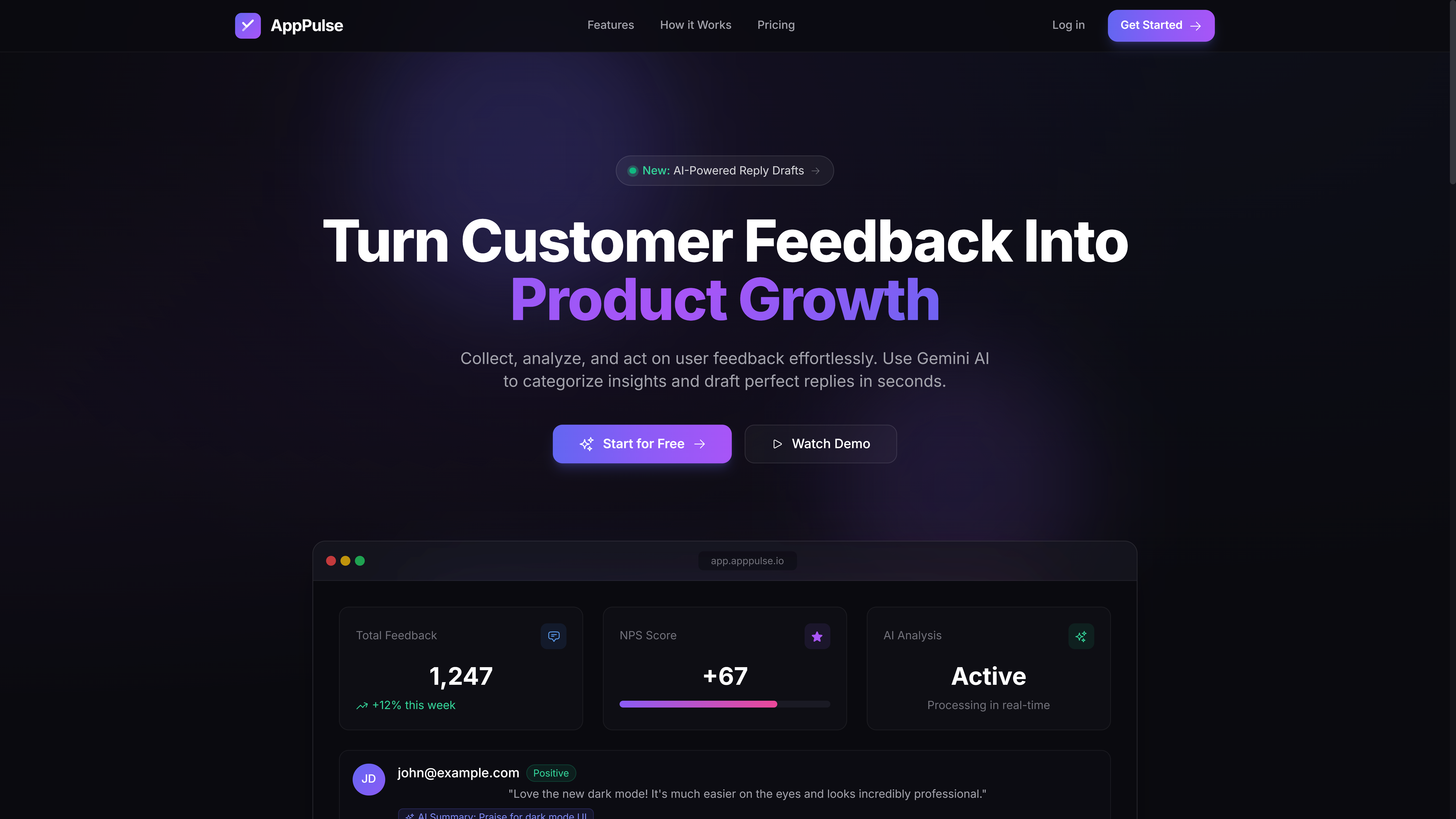
Landing page design
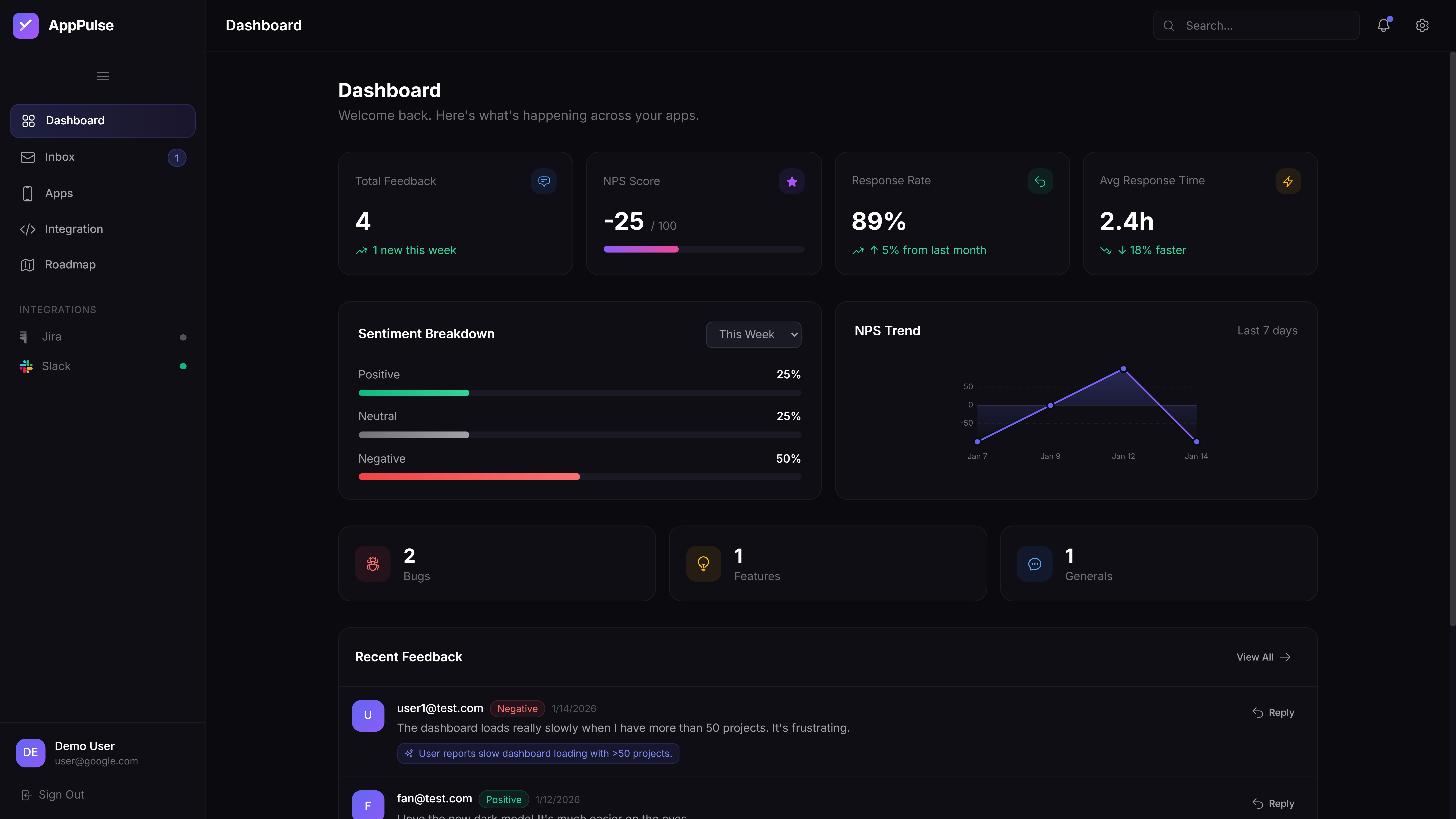
Analytics dashboard concept
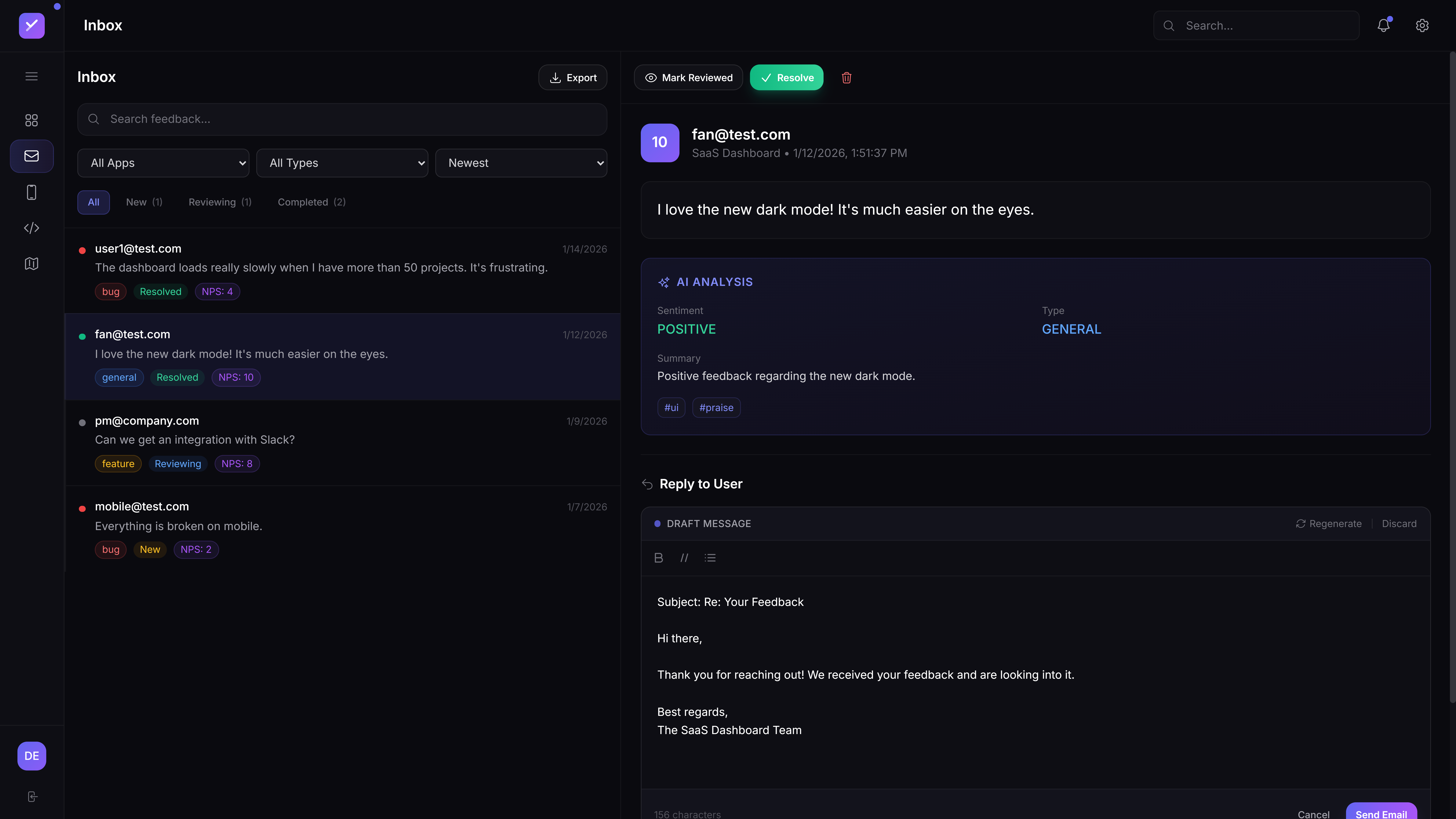
AI-powered feedback inbox
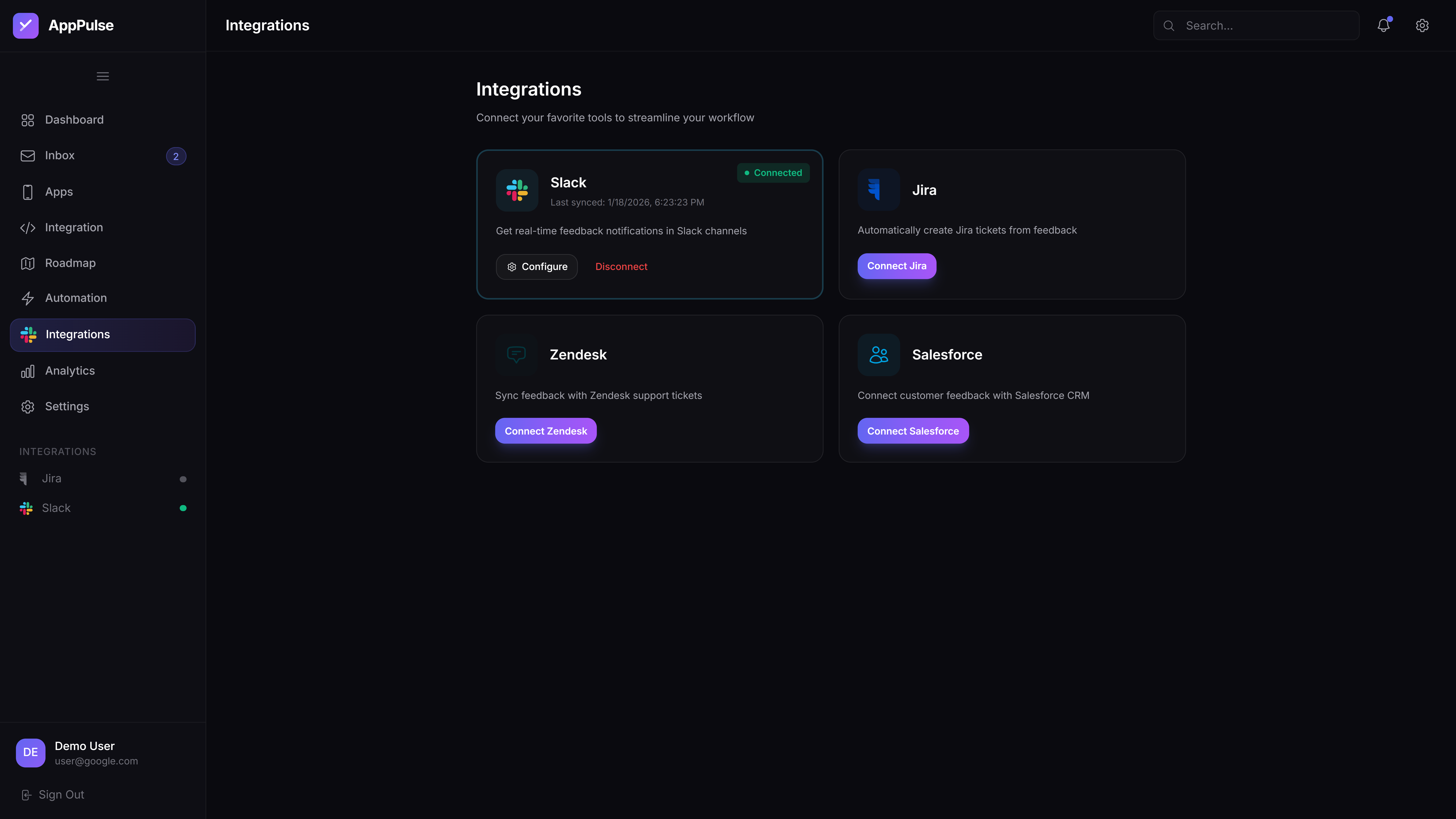
Integrations hub concept
Accuracy numbers and latency measurements are from small internal tests on sample datasets. They were useful for learning, but they are not production guarantees and were never used in a commercial setting.
Overall accuracy on a 100-sample internal test. Sentiment detection reached ~92%, bug detection ~92% — useful for learning prompt design patterns.
Measured during local development after adding indexes and caching. A learning exercise in performance optimisation, not a production benchmark.
Experimented with composite indexes, Prisma query optimisation, and Redis caching to understand how these techniques improve response times.
Studied the API structures and quirks of Slack, Jira, Zendesk, and Salesforce. Built adapter patterns to understand how multi-platform integration works.
First prompt attempt achieved only ~65% accuracy on my test set. LLMs are non-deterministic, and feedback spans many domains with different analysis needs.
Built a prompt template library with few-shot learning. Added a validation layer and spent ~40 hours on prompt engineering experiments.
Dashboard initially took 5–10 seconds to load in development. N+1 queries and slow aggregations were the culprits.
Added composite indexes, optimised Prisma queries, implemented a Redis caching layer, and pre-computed dashboard metrics — all as a learning exercise in performance engineering.
Each platform has different API structures, rate limits, and error handling. Slack, Jira, Zendesk, and Salesforce all have unique quirks I had to learn about.
Built a generic IntegrationAdapter pattern. Implemented exponential backoff, webhook verification, and rate limit detection as design explorations.
The API is 10% of the work. The other 90% is engineering reliable systems—prompt design, testing, monitoring, error handling.
Spent 3 hours on schema in Week 2, had to refactor in Week 8. 2 more hours of planning would have saved weeks of rework.
Didn't try containerisation until late in the project and immediately discovered configuration issues. Should have experimented with Docker much earlier.
Hypothetical next steps if this prototype were developed into a real product.
Connect Gmail/Outlook to auto-pull emails containing feedback, bug reports, and feature requests.
Comments, @mentions, and voting on feedback items — keeping discussions in one place.
Compare outputs from multiple LLMs (Gemini, Claude, GPT) to improve accuracy and reduce hallucinations.
Let teams define their own feedback categories and sentiment rules tailored to their domain.
Let's talk about AI prompt engineering, feedback systems, or product design thinking.